Once creators accept the invitation, send them the brief as it is, or a script for each one written by ShortcutAI, the platform's AI assistant. A creator does not start filming until one of them arrives.
Whatever you send reaches creators on WhatsApp.
Why does the script matter?
The script sets what the creator says and what they film, so the video comes out the way you want. The brief leaves the creator more freedom of style. Choose the brief when it is clear enough on its own, and choose scripts when you want to test more than one angle and compare the results.
Choose how to send it
Open the campaign. The “Overview” tab shows a notice that creators are waiting for their script.
- Choose “Send the brief as it is” or “Write a script per angle”.
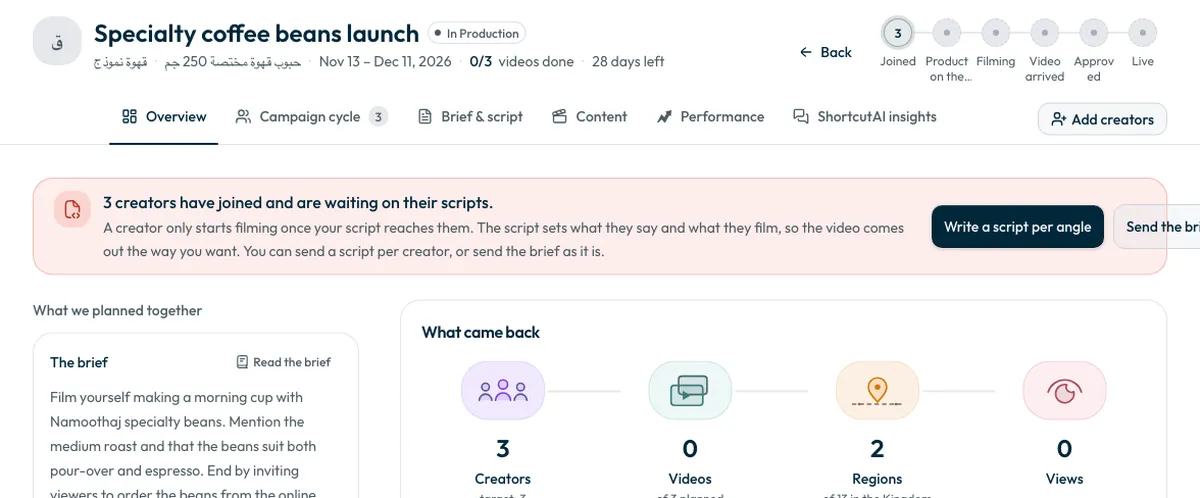
Send the brief as it is
- Press “Send the brief as it is”.
- Press “Send” to confirm. The brief goes to the creators waiting for it now.
If the campaign uses discount codes, a creator still waiting for a code gets the brief only after you add the codes.
Send a script per angle
- Press “Write a script per angle”. ShortcutAI writes the scripts in the background. A round usually takes a minute or two, and you can keep working meanwhile.
- Press “Open the scripts” when they are ready, or open the “Brief & script” tab.
- Review each script. To change one, type what to change, such as “make the opening shorter”, then press “Apply the change”.
- Under “Who films which script”, pick a script for each creator, or press “Assign automatically”.
- Send the scripts. Each one reaches the creator it is assigned to.
How does ShortcutAI write the scripts?
- It identifies segments of your customers from your brand profile, the product and the brief, and draws on audience comments under your brand's earlier videos when there are any. It then writes one script per segment, which is what “per angle” means.
- Each script has an opening, a concept and a call to action, plus scenes and the points that must be mentioned.
- You can set the script language, tone, length and shape before it writes.
- The “Why this script is built this way” panel explains the choices behind each script. It is for you only; the creator never sees it.
- “Assign scripts smartly” gives each creator the script that best fits their content and audience. You can move anyone before you confirm.
The more accurate your brand profile and products are, the closer the scripts get to your audience. See How do I add my brand and products? and How do I write the campaign brief?
Script limits
- Writing rounds per brief are limited, and the remaining count is shown on the scripts page. When they run out, edit an existing script or send the brief.
- A script a creator has already filmed cannot be changed. Write a new one for the other creators.
- ShortcutAI has a daily usage limit. If you reach it, a message tells you, and until the next day you can still send the brief as it is.
Common questions
Can a creator start filming before the script arrives?
No. Filming starts once your script or brief reaches them.
Does the creator see why the script was built that way?
No. The creator sees only the script itself. The explanation is shown to you alone.
What do I do when the writing rounds run out?
Edit an existing script by typing what to change, or send the brief as it is.
Next step
If you ship the product yourself, the next step is shipping. See How do I ship the product to creators and record the shipment? To follow creators after sending, see How do I follow creators’ progress and remind late ones?
Did this article answer your question?
Thank you. We use your answer to improve the article.
Your answer could not be saved. Try again.
Need more help?
Contact our support team, and we will help you with your question.