When a brand picks you for a campaign, an invitation reaches you in “Discover” under “Invitations”. You have 48 hours to reply, and each invitation shows the time left. If time runs out without a reply, the invitation closes.
By accepting, you agree to the campaign agreement and start work on it. So review the details before you accept, and save your IBAN on your profile.
Before you accept
- Save your IBAN on your profile. It goes into the campaign agreement, and your fee is paid to it.
- Make sure the campaign's dates suit you: the app has no way to leave a campaign after you accept.
- Review what the campaign asks of you: “What you'd be making”, “What you're agreeing to”, “Getting the product” and “Video due”.
Why do the campaign's dates matter?
Delivering the video on time and getting it approved on the first take both count in your “Overall rating”, at 40% each. The rating is one of the signals used to rank suggestions for future campaigns, and brands can filter creators by it. See how your rating is calculated.
Accept the invitation
Open “Discover” and choose “Invitations”.
- Tap “View details” and review the campaign brief, the fee, the videos asked of you and the due date.
- Tap “Accept”.
Review the summary. To read the full agreement, tap “View campaign agreement”.
- Tap “Confirm acceptance”.
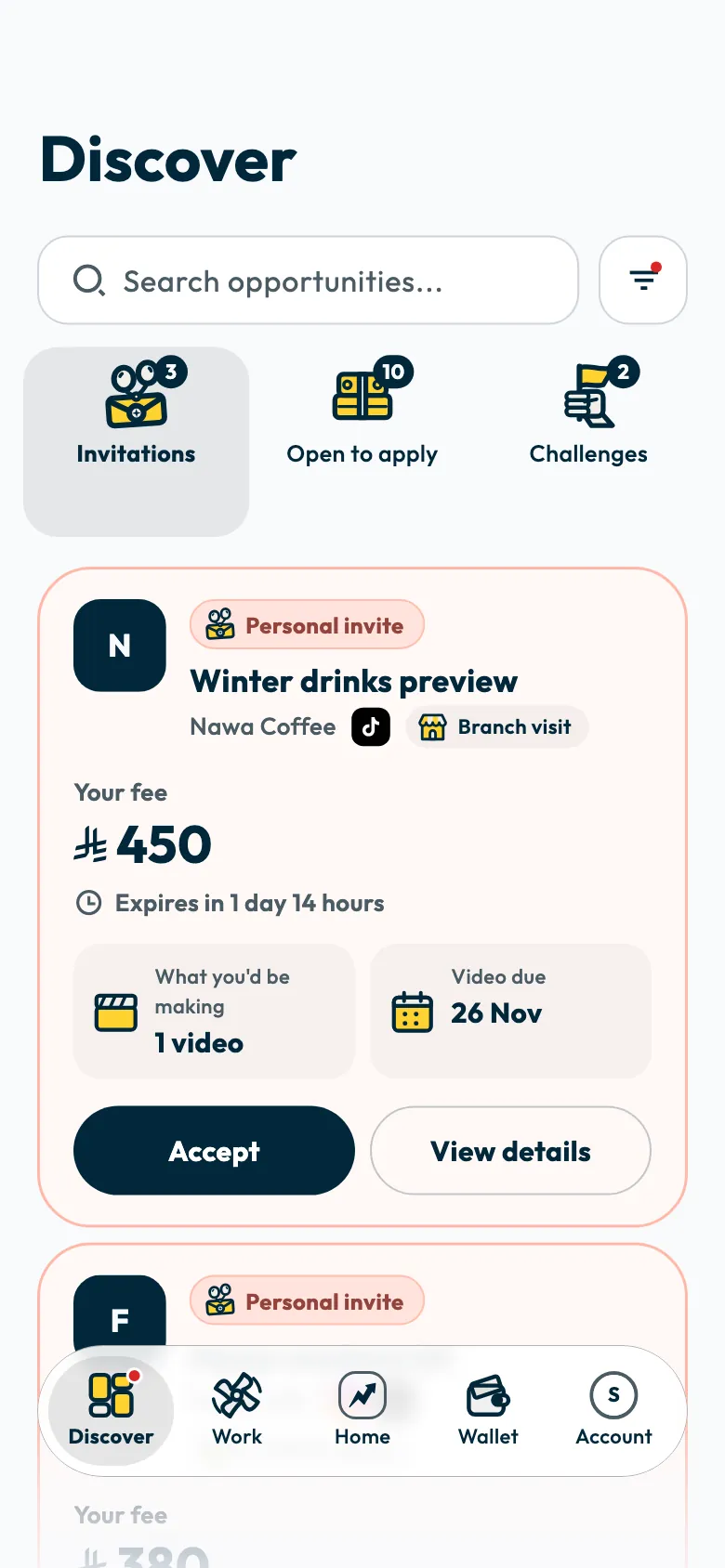
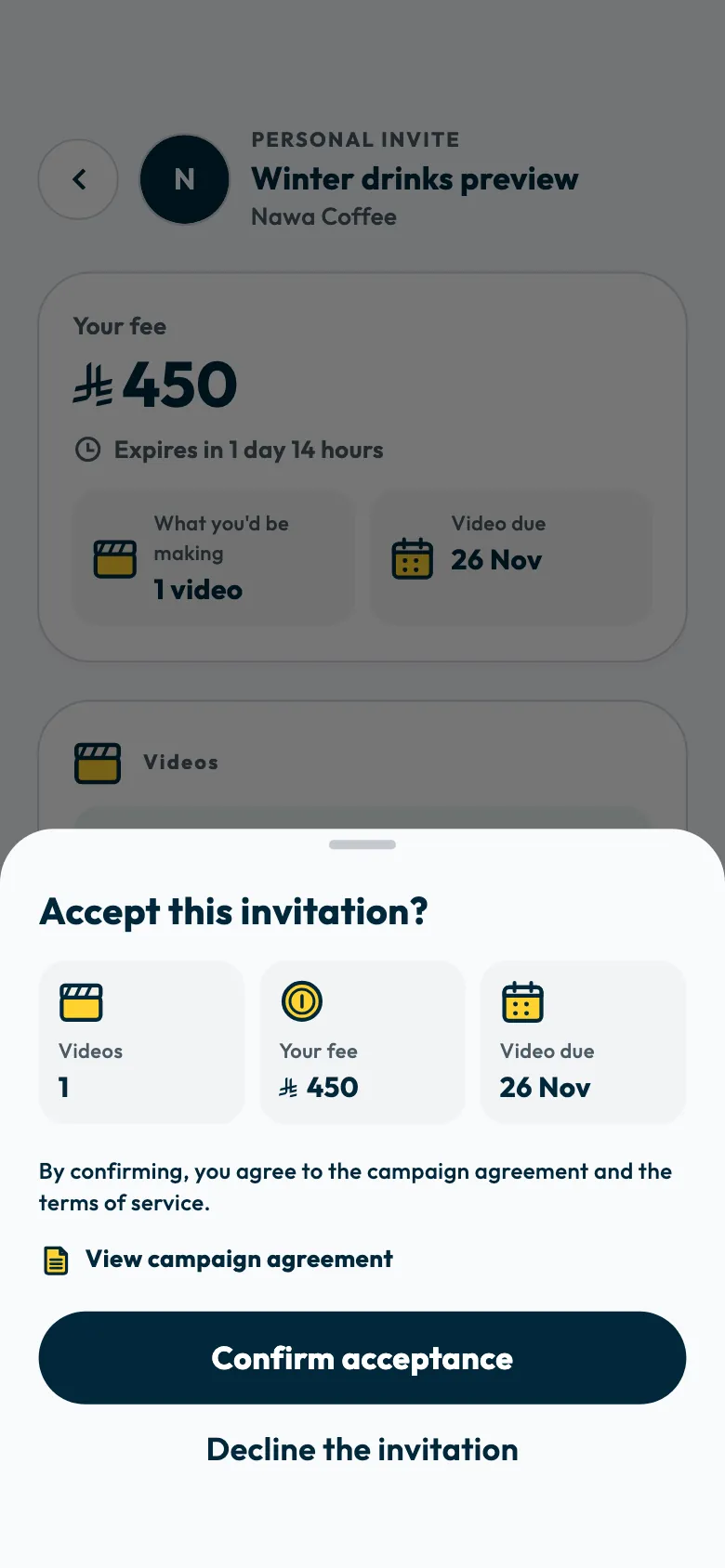
By confirming, you agree to the campaign agreement, including the fee, the deliverables and the platform terms. The campaign then moves to “Work”, where your script arrives. See Where do I find the script and the campaign guidelines?.
If you are asked to add your IBAN
If no IBAN is saved on your profile, the “Add your IBAN to get paid” sheet appears. Tap “Add IBAN and continue”, enter your bank details, then finish accepting. See adding or changing your bank account.
If the invitation does not suit you
Decline it before its reply time ends, or suggest another fee, as described in declining a campaign invitation.
If you want to withdraw after accepting
The app has no way to leave a campaign once you accept. Contact the support team and give the campaign name.
If the invitation has expired
The reply time ended, and you cannot be added to this campaign. You can apply to open campaigns in “Discover”.
Common questions
What if the fee or the work changes after I accept?
A “Contract addendum” appears on the campaign page, saying the fee or the scope of work was updated. Tap “Review addendum”, then “I agree to the addendum” before you continue.
When is my fee added to my wallet?
Once you have posted or delivered every video the campaign asks of you. See When is my campaign fee added to my wallet?.
Did this article answer your question?
Thank you. We use your answer to improve the article.
Your answer could not be saved. Try again.
Need more help?
Contact our support team, and we will help you with your question.