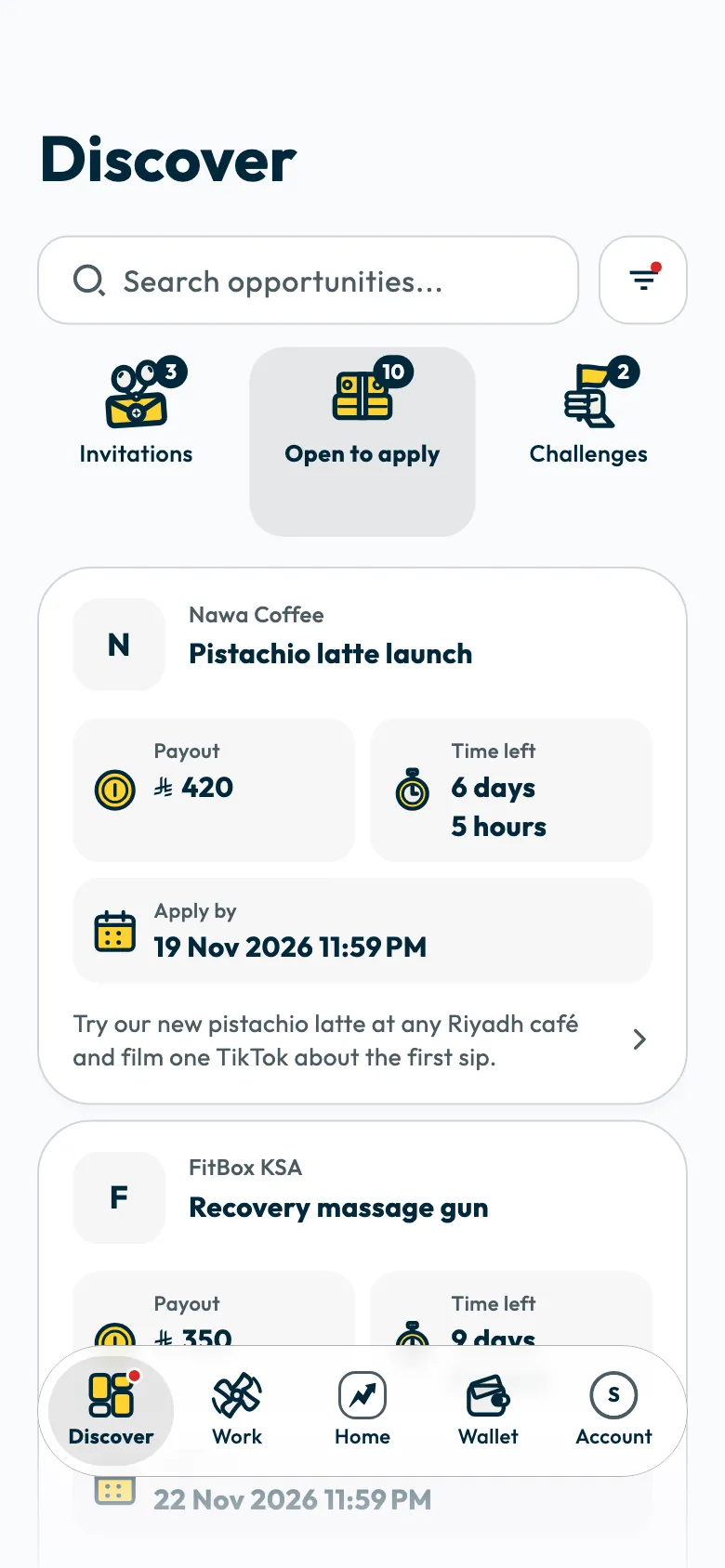
Campaigns are in the “Discover” tab. Most campaigns reach you as a direct invitation from a brand; some are open for any creator to apply to.
Applying is your way into campaigns you were not invited to. You read the campaign's details and payout before applying, then wait for the brand's reply. Joining Shortcut and applying to campaigns cost nothing.
The sections of Discover
- “Invitations”: campaigns a brand invited you to directly.
- “Open to apply”: campaigns you can apply to.
- “Challenges”: competitive campaigns where the top-ranked creators win prizes. See points, levels and challenges.
To find a campaign, type in the “Search opportunities...” field. To sort the results or show one kind of campaign only, tap the filter button next to the search field.
What to check before you apply
Read the campaign's details before you apply, to make sure it suits you and its dates work for you:
- “Payout”: what the campaign gives you.
- The campaign brief and guidelines: what the brand asks for and what it rules out.
- The timeline: the apply-by date and the “Video due” date.
- The video type and how you get the product, as described in campaign types.
Apply to a campaign
Open “Discover” and choose “Open to apply”.
- Tap a campaign card and read the campaign brief, guidelines and timeline.
Tap “Apply now”.
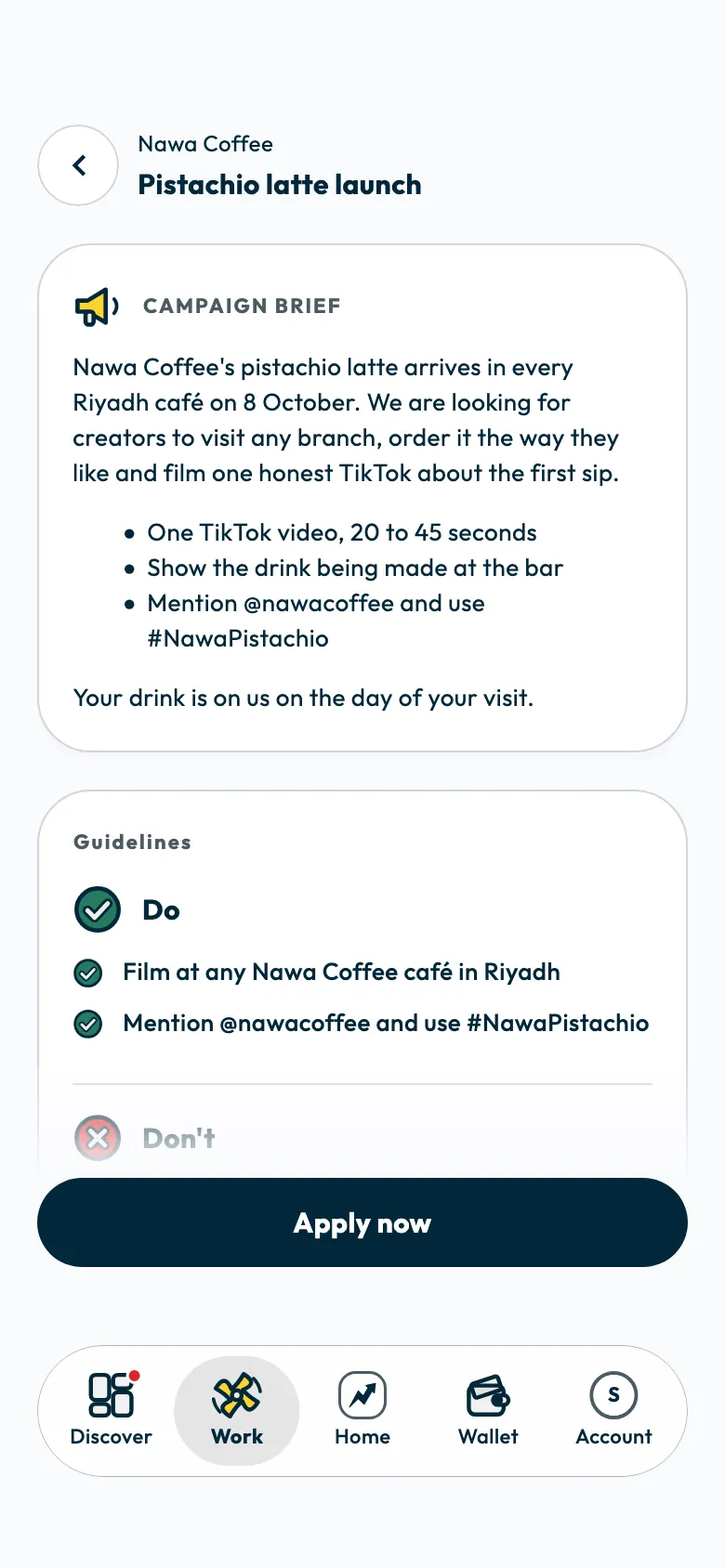
After you apply, the app takes you to “Work”, where your application shows under “Your applications” as waiting for the brand's reply.
If “Apply now” is turned off
The reason shows above the button:
- “Already applied”: you applied to this campaign before.
- Applications have closed.
- Your account is still under review. See account review.
- Your profile is missing something, which the line names: add it, then come back to the campaign.
If you are not selected
Your application moves to “Closed campaigns” in “Work” with a message that you were not selected this time. You can apply to other campaigns.
To raise your chances in future campaigns, read Why am I not getting campaigns?.
Did this article answer your question?
Thank you. We use your answer to improve the article.
Your answer could not be saved. Try again.
Need more help?
Contact our support team, and we will help you with your question.