Points are added to your account automatically when you complete set steps on Shortcut: setting up your profile, applying to campaigns, delivering your videos and reaching views. Your total points set your level.
Challenges are campaigns that rank their participating creators by their videos' results, and the top ranks win the campaign's prizes.
Where do you see your points and level?
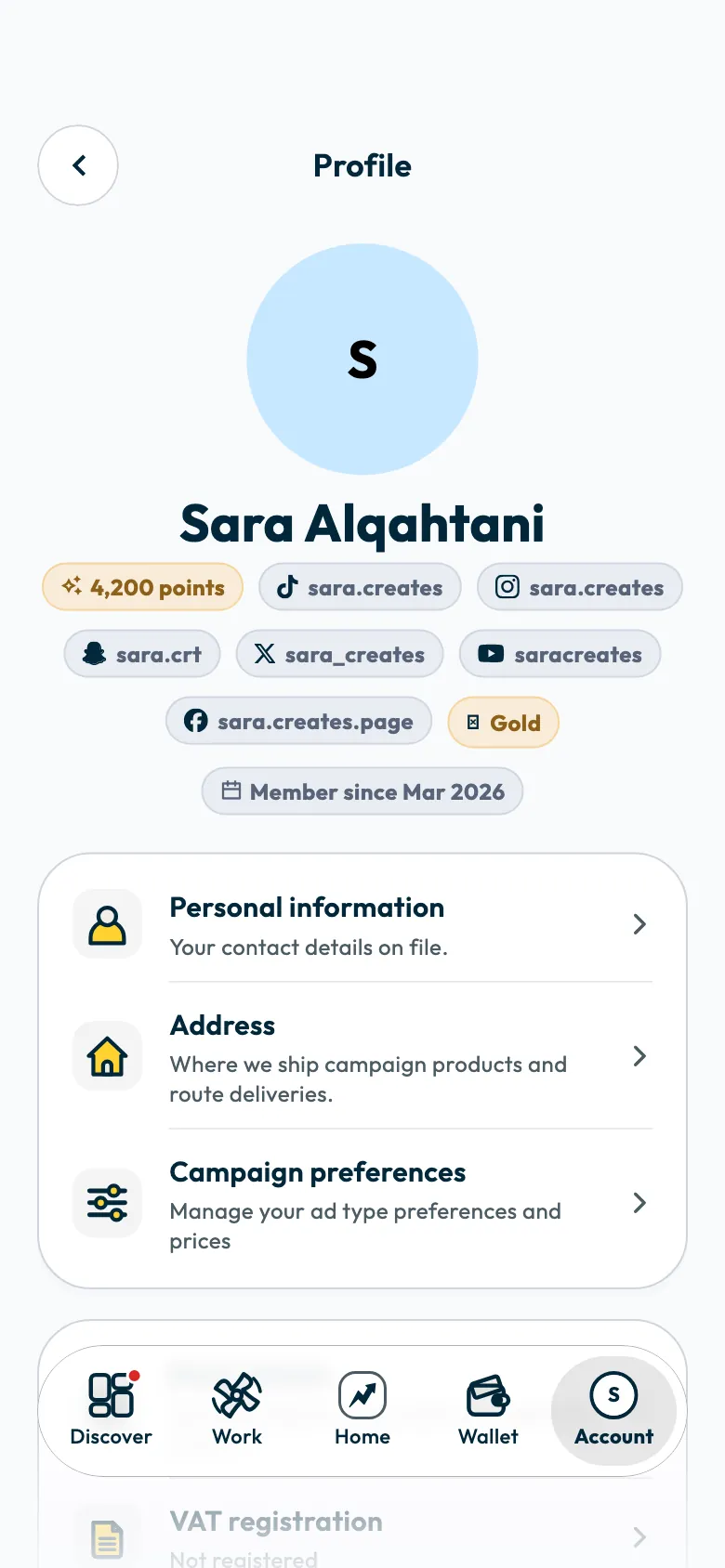
- Your points and level show under your name in “Account” › “Profile”, and your points show in the “Your performance” card on “Home”.
- The “Leaderboard guide” explains everything that earns points. Open it from “Account”, under “Learn and grow”.
How do you earn points?
These are the steps as the “Leaderboard guide” lists them, each with its points:
| Step | Points |
|---|---|
| “Profile basics completed”: name, gender, niches and coverage cities | 50, once |
| “First social account linked” | 50, once |
| “Payout details added”: IBAN and national address | 50, once |
| “Two or more social accounts linked” | 30, once |
| “Personality traits added”: three or more traits | 20, once |
| “Campaign application submitted (up to 5 per week)” | 5 per application |
| “Application accepted” | 30 |
| “First version submitted” of a video | 40 per video |
| “Submitted on time” | 60 per video |
| “Approved on first try” | 80 per video |
| “Campaign completed”: counted for each video that is done | 150 per video |
| “3 campaigns milestone”, then “5 campaigns milestone”, then “Veteran (10 campaigns)” | 200, then 400, then 1,000 |
| A campaign video reaching 10K, then 100K, then 500K, then 1M views | 30, then 80, then 200, then 400 |
| “Above-median engagement”: the engagement bonus | 50 per video |
Each step is awarded once for what it covers: once for the account, or once per video. The view marks are awarded separately, so a video that reaches 1M views earns all four.
Points from “Campaign application submitted” do not count toward the total that sets your level.
What is the engagement bonus?
The guide describes it as: “When your video draws more engagement than a typical Shortcut campaign, you earn a bonus automatically.”
In practice, 50 points are added when your campaign video's engagement rate is in the top half of Shortcut campaign videos. The engagement rate is likes, comments and shares as a share of views.
How do levels work?
“Your level comes from all the points you have ever earned.” These are the four levels:
| Level | Points |
|---|---|
| “Bronze” | 0 to 1,499 |
| “Silver” | 1,500 to 3,499 |
| “Gold” | 3,500 to 6,999 |
| “Elite” | 7,000 and above |
Under “Your level”, the guide shows the points left to the next level, such as “300 points to Gold”.
If a completed video is reopened in its campaign, its completion points are taken off your total.
How do challenges work?
A challenge is a campaign that ranks its participants by one measure the campaign sets: total views, total likes, total engagement, engagement rate, or videos delivered.
- Open “Discover”, then the “Challenges” tab to see the available challenges.
- Open the challenge's page, then tap “See the ranking” to open the “Leaderboard”.
- Follow “Your standing” among the participants, and the measure shown after “Ranked by”.
If you are in a winning rank, you see “In a prize spot”. If not, the app tells you how many ranks you need to climb, such as “Climb 3 ranks to win a prize.”
When the challenge ends, “Final results are in!” appears. The top ranks, up to the number of winners the campaign sets, win the prize assigned to each rank.
Common questions
Do I need to do anything to get points?
No. Points are added automatically when you complete the step.
Why didn't my points go up after I applied to a campaign?
Application points are limited to five applications a week and do not count toward the total that sets your level. “Application accepted” adds 30 points to your total.
Are points money?
No. Points are separate from your earnings; they are not added to your wallet and cannot be withdrawn.
Next step
To follow the views and engagement that earn you points, see How do I track my video views and performance on Shortcut?. To understand your overall rating, see how your rating is calculated.
Did this article answer your question?
Thank you. We use your answer to improve the article.
Your answer could not be saved. Try again.
Need more help?
Contact our support team, and we will help you with your question.