You can edit your name in the app. Your phone number and gender cannot be changed in the app; the support team changes them after verifying your identity.
Why does your name matter on Shortcut?
Your name is what brands see when they browse creators and follow their campaigns, and what the Shortcut team sees. So write it in full and correctly.
Edit your name
Open “Account”, then “Profile”, then “Personal information”.
- Tap the edit icon next to “Full name”.
- Type your full name, then tap “Save”.
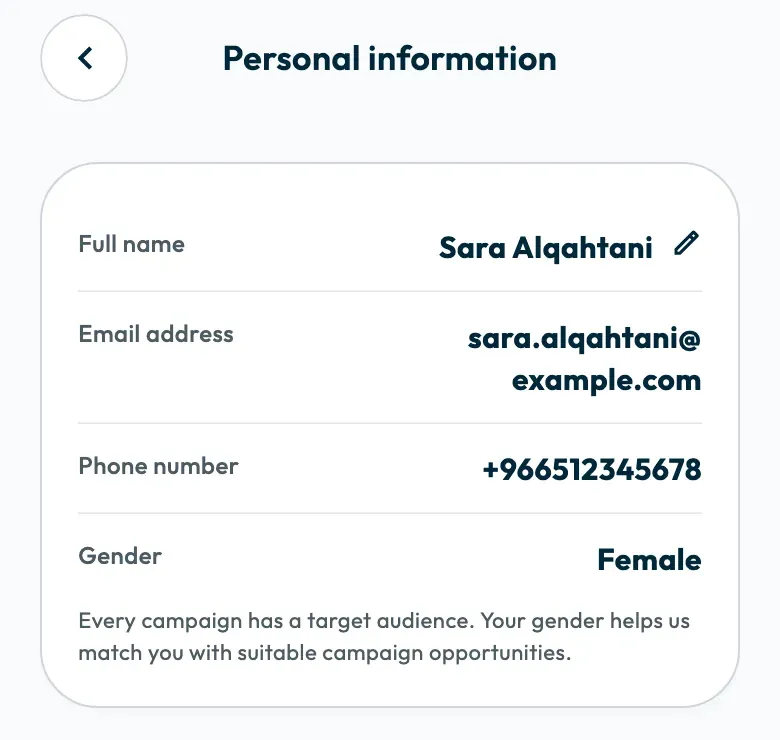
“Name updated” appears. The name changes on your profile and your account together.
Change your phone number or gender
Your phone number is how you sign in to your account, so it is changed only after your identity is verified. The screen explains why: “To ensure platform safety and match you with correct brand deals, phone number and gender require verification.”
- Open “Account”, then “Profile”, then “Personal information”.
- Tap “Contact support on WhatsApp”.
- Follow the verification steps the support team asks for.
Never send a photo of your ID or your bank details in a chat. Other ways to reach the team are in How do I contact Shortcut support?.
If you entered the wrong number while signing up
Your number shows at the top of the sign-up screens. Tap “Not you?”, then “Change number”, to sign out of that number and sign in with another. What you entered stays saved on the first number.
If the verification code does not reach the new number, see Why didn't I receive my verification code?.
Did this article answer your question?
Thank you. We use your answer to improve the article.
Your answer could not be saved. Try again.
Need more help?
Contact our support team, and we will help you with your question.