You can decline any invitation before its reply time of 48 hours ends. You have no obligation on that campaign, and declining does not count towards your overall rating.
If the fee offered is lower than suits you, decline and suggest another fee. Your suggestion cannot be lower than the fee offered or more than double it.
Does the brand see why I declined?
No. Your reason and any fee you suggest are kept by Shortcut, and neither is shown to the brand. The brand only sees that you did not join the campaign.
Decline the invitation
- Open “Discover”, choose “Invitations”, and tap “View details” on the invitation.
- Tap “Decline the invitation”.
In “Why are you declining?”, choose your reason: “Fee too low”, “Bad timing”, “Brand not a fit”, “Brief not a fit”, “Not interested” or “Other”.
- Tap “Submit”.
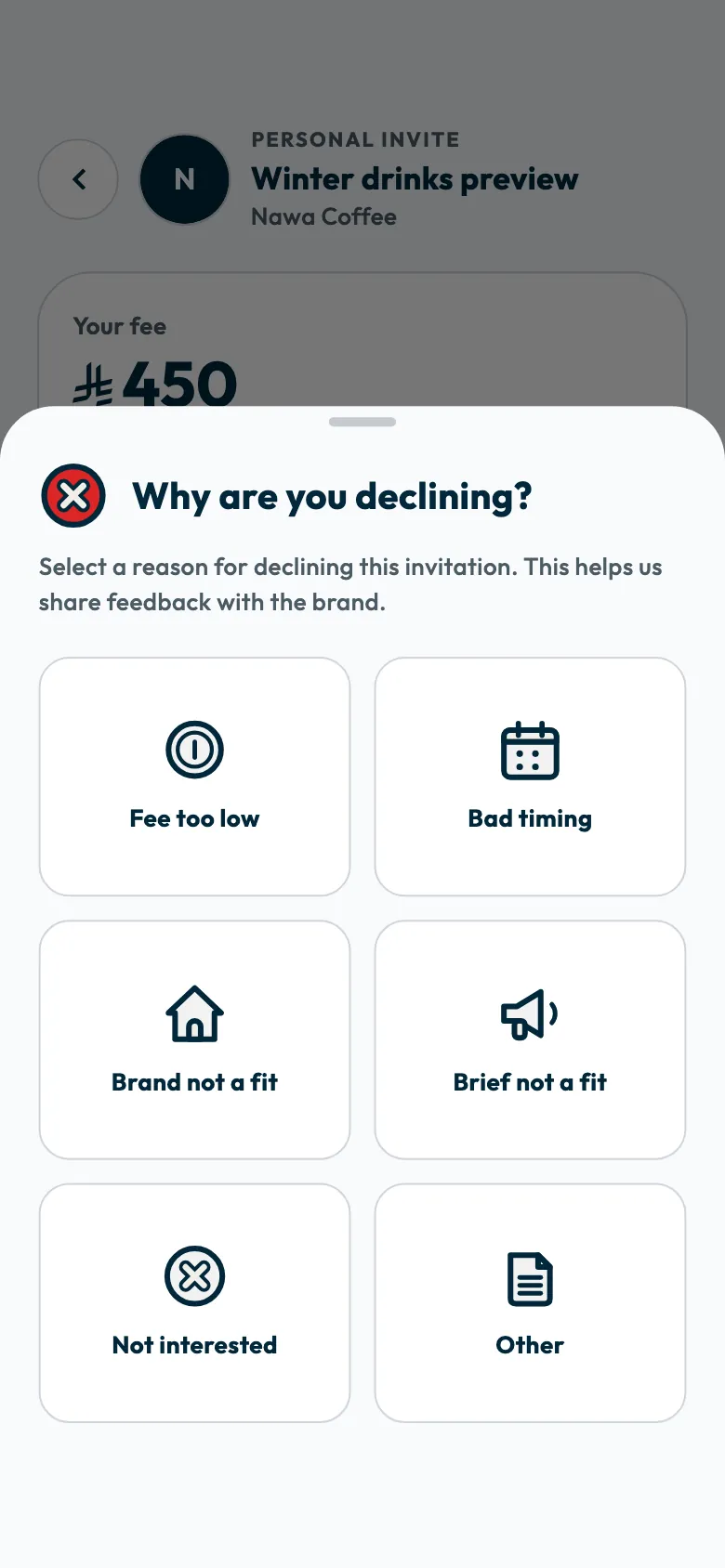
A message confirms your decline was recorded, and the invitation moves to “Closed campaigns” in “Work”, marked as declined.
Suggest another fee
- Choose “Fee too low”, then tap “Continue”.
- The “What fee would have worked for you?” sheet shows the “Offered” fee and a “Your suggestion” field.
- Enter the fee that suits you. It must be at least the fee offered and no more than double it. If the offer is 500, your suggestion is between 500 and 1,000.
- Tap “Submit”.
Suggesting a fee is part of declining. The invitation closes when you submit, and the suggestion does not put you on the campaign at the new fee.
If the fees offered to you keep falling below what suits you, review the rates on your profile.
If you choose “Other”
- Tap “Continue”.
- Write your reason in the field, in up to 500 characters.
- Tap “Submit”.
Common questions
Does declining affect my rating?
No. Your “Overall rating” comes from first-take approval of your videos, on-time delivery and the number of campaigns you complete. Read how your rating is calculated.
Can I undo a decline?
The app has no way to undo a decline once it is sent. Review the invitation carefully before you decide.
What happens if I do not reply?
The invitation closes when its reply time ends, and the app shows that it has expired.
Can I accept instead of declining?
Yes, as long as the reply time has not ended. Follow the steps to accept an invitation.
Did this article answer your question?
Thank you. We use your answer to improve the article.
Your answer could not be saved. Try again.
Need more help?
Contact our support team, and we will help you with your question.