You set your rates first in the "Your rates" sign-up step, and can change them at any time in "Campaign preferences". You need rates before you can apply to campaigns.
Your rates are what brands book you at. Set them to match your effort for each type of shoot, because the minimum price you set is the fee you are booked at.
Why do your rates matter?
- Brands book you at the minimum price you set for that type of shoot.
- Your rates and the ad types you accept are among the details your account needs to be approved. See When is my Shortcut account approved?.
- Campaign invitations reach you only if you have rates that let you be booked.
Change your rates
- Open "Account", then "Profile", then "Campaign preferences".
Enter your minimum and maximum price for each type of shoot: "Home-based min price" and "Home-based max price", then the two store visit fields, then the two digital experience fields.
- Turn on "Accept product ads" if you accept campaigns paid in products or gifts, with no cash fee.
- Turn on "Accept commission ads" if you accept campaigns that pay a commission on each sale.
- Tap "Save".
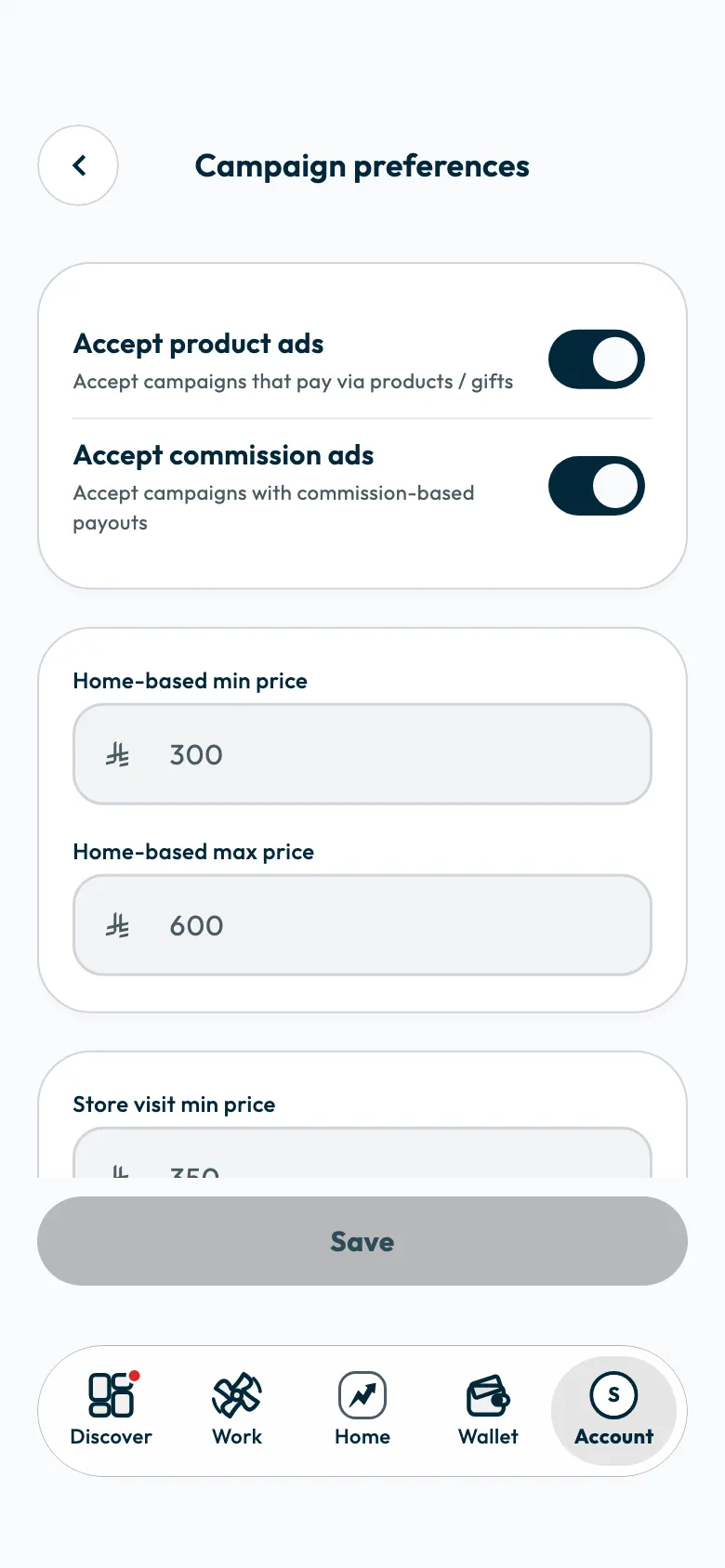
You see "Campaign preferences updated successfully".
Types of shoot
| Type | What it means |
|---|---|
| Home ad | You film the product at home. |
| Branch visit | You visit the brand's branch at a set time and film there. |
| Digital experience | You open the brand's link, do what it asks, and film your experience. |
The types are explained in Are campaigns paid or product-only, and what kinds are there?.
How your rates are used
- Brands book you at the minimum price you set for that type of shoot.
- Your maximum is equal to or higher than your minimum. If it is not, you see "Make the max price the same as the min price or higher.".
- Every invitation shows its fee before you accept, and you can accept or decline it.
If you are registered for VAT
Your rates include VAT. The fee you are booked at is the whole amount including VAT, so include VAT in your rates when you set them. Tax invoices are covered in When do I need to attach a tax invoice to a payout?.
If an invitation's fee does not suit you
Decline it and suggest the fee that does. The fee you suggest must be at least the fee offered and no more than double it. See How do I decline a campaign invitation or suggest another fee?.
Common questions
Does the fee of a campaign I accepted change if I change my rates?
No. Your new rates apply to future bookings. The fee of a campaign you accepted is set in its agreement.
Do I need a price for every type of shoot?
Set a price for each type you are willing to do. For your account's approval, a home ad price or a branch visit price is enough.
Did this article answer your question?
Thank you. We use your answer to improve the article.
Your answer could not be saved. Try again.
Need more help?
Contact our support team, and we will help you with your question.