You connect TikTok by signing in to it from inside the app; you do not type your username. Your accounts on other platforms are added by username.
Connecting TikTok is the most important step after sign-up: campaigns are booked on TikTok today, and it is where ShortcutAI, the platform's AI assistant, reads your content to suggest you for campaigns that fit.
Why is TikTok needed?
- TikTok is the only platform campaigns are booked on today, and the only account Shortcut verifies. Without it, Shortcut does not suggest you for new campaigns.
- Your "Creator DNA" is built from your public TikTok videos. Your content categories and how you appear are taken from it, and Shortcut uses it to suggest you. See What is your Creator DNA from ShortcutAI, and how does it help you reach campaigns?.
- Being suggested for campaigns needs public videos on your account. If Shortcut finds no public videos on your account, it does not appear in campaign suggestions.
Connect TikTok
- Open "Account", then "Profile", then "Social accounts".
Tap "Connect TikTok".
- Sign in to your TikTok account on the page that opens, then approve the connection.
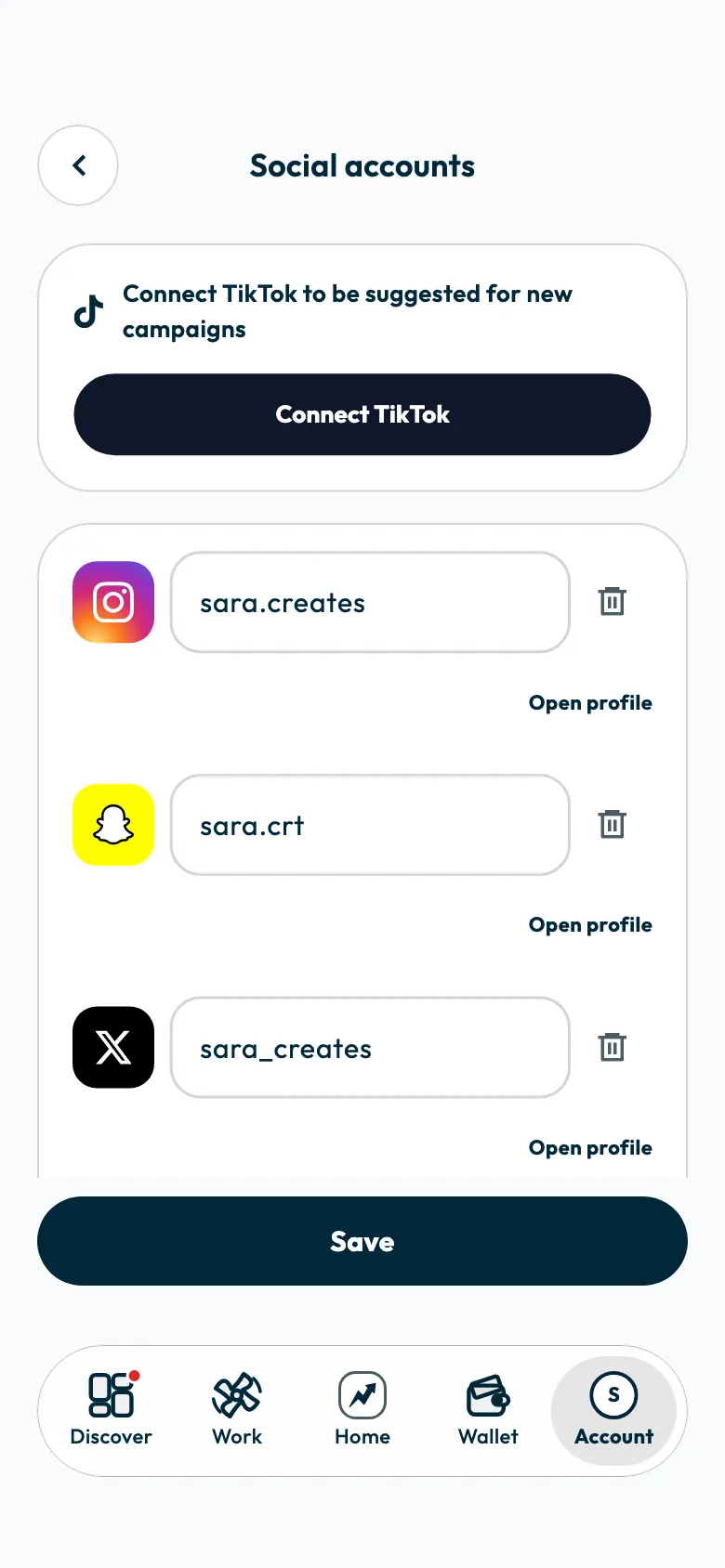
When it works, you see "TikTok connected. Your Creator DNA is on its way.", and ShortcutAI starts preparing your Creator DNA.
You can also connect TikTok while signing up, in the "Your accounts" step.
Add other platforms
- On the "Social accounts" screen, tap "Add a platform".
- Choose the platform and enter your username.
- Tap "Save".
You can add your Instagram, Snapchat, X, Facebook and YouTube accounts. The app does not verify them, and they appear on your profile as you entered them. You need an account on a campaign's platform to be suggested for it.
If the app says this TikTok account is linked to another creator
That TikTok account is already on another Shortcut account.
- If you signed up before with a different phone number, sign out and sign in with that number.
- If you did not, contact the support team. See How do I contact Shortcut support?.
If the app says you signed in with a different TikTok account
Your profile is linked to another TikTok account, and the message shows its username. Sign in to TikTok with that account and try again. To change the linked account, contact the support team.
If you see "TikTok wasn't connected"
The connection did not complete. Try again from "Connect TikTok", and make sure you approve the connection on the TikTok page.
Disconnect TikTok
- On the "Social accounts" screen, tap the "Disconnect TikTok" icon next to your account.
- Tap "Disconnect" to confirm.
Once disconnected, Shortcut does not suggest you for new campaigns, and the campaigns you already joined carry on. You can reconnect later, but only with the same TikTok account.
Common questions
Why can't I type my TikTok username?
Because Shortcut confirms you own the account by having you sign in to it. That is why a TikTok account is connected through sign-in only, never typed in.
Does ShortcutAI read my private videos?
No. ShortcutAI reads only your public videos to prepare your Creator DNA.
Can I replace my linked TikTok account with another one?
Not by yourself. Contact the support team to change the linked account.
Did this article answer your question?
Thank you. We use your answer to improve the article.
Your answer could not be saved. Try again.
Need more help?
Contact our support team, and we will help you with your question.