You sign up to Shortcut in the mobile app with your phone number. A verification code arrives by SMS, you complete five steps, and the Shortcut team reviews your profile. Signing up is free.
Each sign-up step builds part of the profile brands see and that you are suggested for campaigns by. This article explains what each step asks for, and why.
What you need before you start
- A phone number that can receive SMS.
- At least one account on a platform you post on. Campaigns are booked on TikTok today, so have your TikTok account ready.
- Your National Address short code, if you live in Saudi Arabia.
- A valid Mawthooq licence certificate, if you live in Saudi Arabia. The licence is required to publish ads there.
Create your account
- Download the Shortcut app from the App Store or Google Play.
- Open the app, go through the intro screens and tap "Get started".
Choose your country code, enter your phone number and tap "Send verification code".
- Enter the 6-digit code from the SMS and tap "Verify".
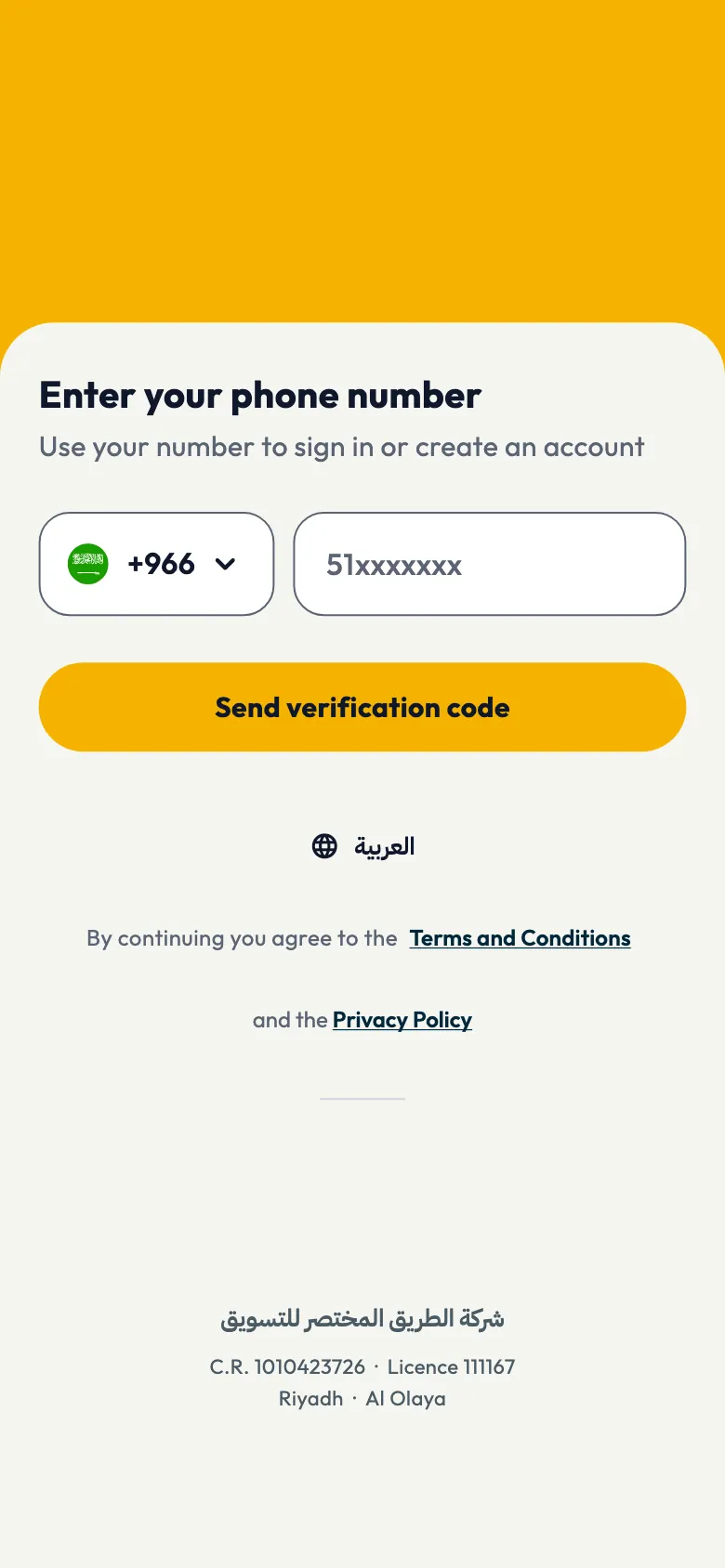
You can also start signing up on the Shortcut website with your phone number. This article describes the steps in the app.
If the code does not arrive, see Why didn't I receive my verification code?.
The five sign-up steps
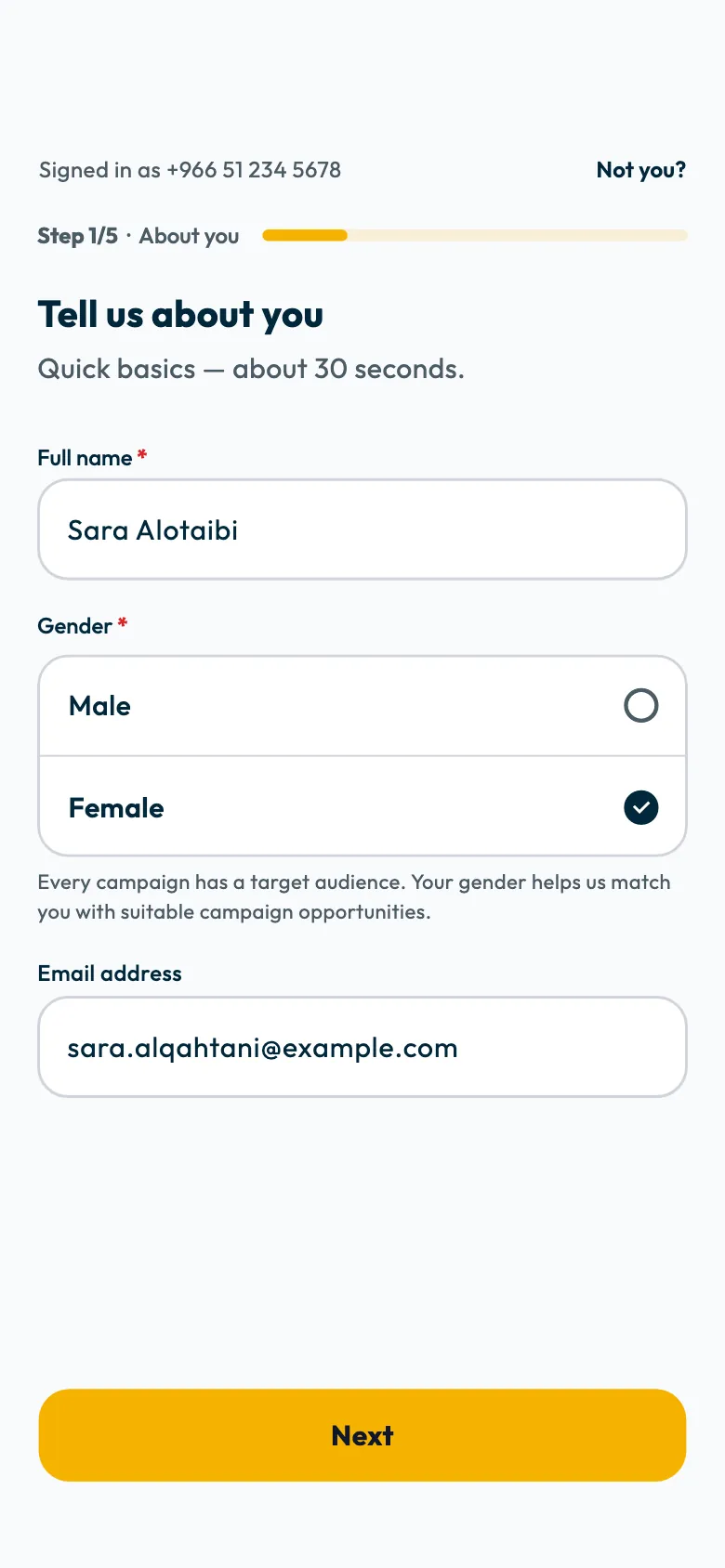
Once your number is verified, the sign-up steps open. Complete each one and tap "Next".
"Tell us about you": enter your full name and choose your gender. Email is optional.
- "Your accounts": connect TikTok, or add your account on another platform. One account is enough to continue, but connecting TikTok is what lets you be suggested for campaigns and lets ShortcutAI prepare your Creator DNA. See How do I connect my TikTok account to Shortcut?.
- "Where should we send your products?": choose your country and enter your address. Most campaigns' products are shipped to this address. If you live in Saudi Arabia, choose "Mawthooq licence" and upload your licence certificate. See Do I need a Mawthooq licence? How do I add it on Shortcut?.
- "Your rates": choose which kinds of ads you accept, and your minimum and maximum price for each type of shoot. Brands book you at the minimum price you set. See How do I set or change my rates on Shortcut?.
- "Your Creator DNA": review the reading that ShortcutAI, the platform's AI assistant, prepares about your content and style from your public TikTok videos. Then agree to the Terms and Conditions and Privacy Policy, and tap "Finish".
What happens in the "Your Creator DNA" step?
ShortcutAI starts reading your public TikTok videos as soon as the account is connected, and works while you complete the other steps. In the last step you find your Creator DNA ready, or the stages of the work if it is not finished yet.
- If it represents you, tap "That's my DNA ✨ — finish".
- If you see a mistake, tap "Not quite me" and write what you think is inaccurate, for a person on the team to read.
- If the reading is not finished, you can still finish sign-up, and ShortcutAI keeps working.
Your content categories and how you appear are taken from this reading, and Shortcut uses them to suggest you for campaigns. See What is your Creator DNA from ShortcutAI, and how does it help you reach campaigns?.
If you do not connect TikTok, you will not see a Creator DNA. You can connect it later from "Profile".
After you finish
Your profile goes to the Shortcut team for review. You can browse the app and campaigns meanwhile, but you cannot apply to campaigns until your account is approved. See When is my Shortcut account approved?.
Common questions
Is signing up to Shortcut free?
Yes. Signing up and applying to campaigns are free.
I signed up before and deleted my account. Can I sign up with the same number?
Yes. You can sign up again with the same phone number after deleting your account.
Can I change my details after signing up?
Yes. You find most of your details in "Account", then "Profile". See How do I complete my profile on Shortcut?.
Did this article answer your question?
Thank you. We use your answer to improve the article.
Your answer could not be saved. Try again.
Need more help?
Contact our support team, and we will help you with your question.