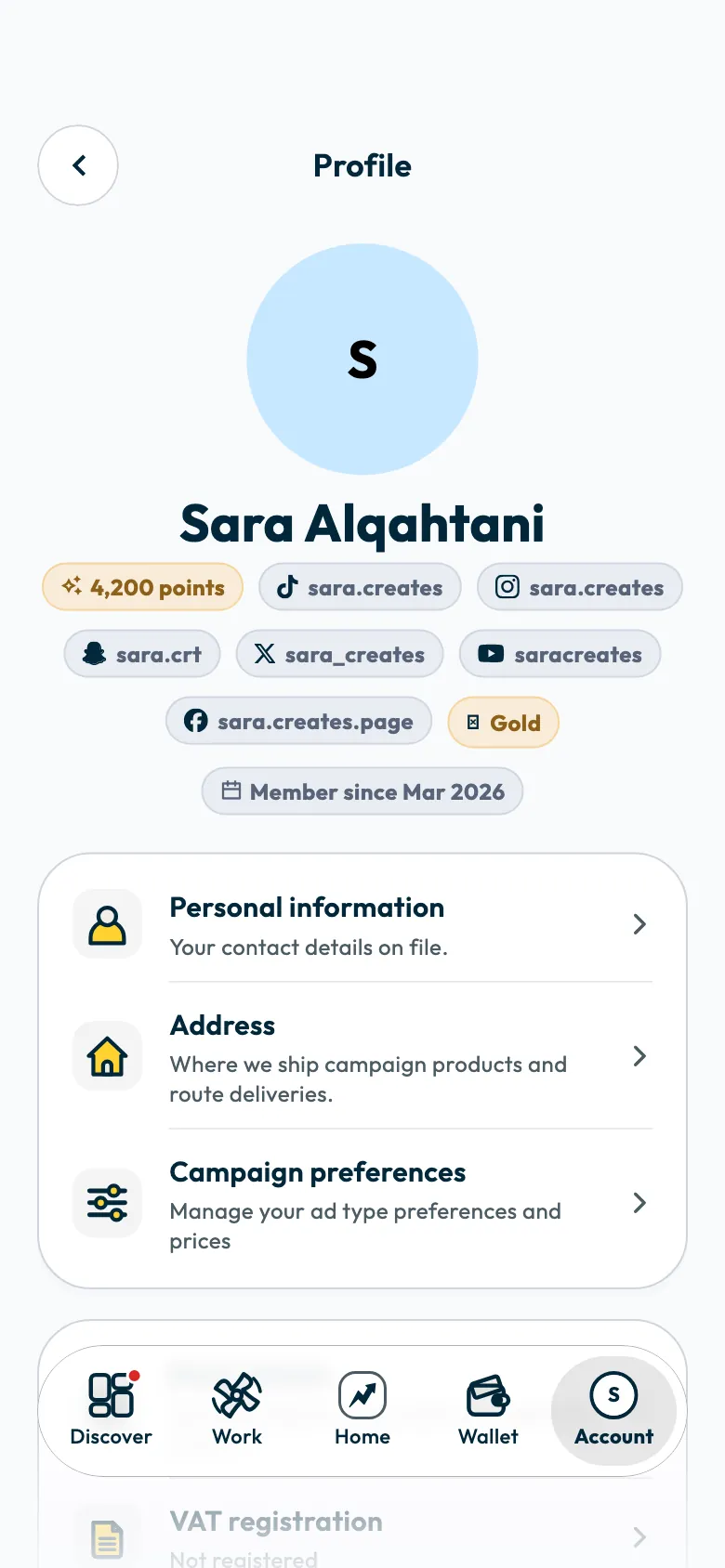
You complete your profile in "Account", then "Profile". A complete profile is a condition for approving your account, and it is what Shortcut suggests you for campaigns by and what brands book you through.
This article explains the profile's sections and what changes when you complete them, then the steps to update your address and coverage areas.
Why does a complete profile matter?
- Your account is not approved until eight details are complete on your profile. See When is my Shortcut account approved?.
- A campaign invitation reaches you only if your account is approved, you hold an account on the campaign's platform, and you have rates that let you be booked.
- Your city and coverage areas count when a brand looks for creators in a specific region.
The profile's sections
| Section | What it holds | Why it matters |
|---|---|---|
| "Personal information" | Your full name, gender and contact details. | Your name and gender are part of approval. |
| "Address" | Your country and address, and in Saudi Arabia your National Address short code. | Campaign products are shipped to it, and it is part of approval. |
| "Campaign preferences" | The ad types you accept, and your rates for each type of shoot. | Brands book you at the minimum price you set. |
| "Bank details" | Your IBAN, bank name and account holder's name. | You need the IBAN before you accept your first invitation, and all three before you request a payout. |
| "Licences" | Your Mawthooq licence certificate, if you live in Saudi Arabia. | The licence is required to publish ads in Saudi Arabia, and it is part of approval. |
| "Creator DNA" | The reading of your TikTok content by ShortcutAI, the platform's AI assistant. | Your categories and how you appear are taken from it, and Shortcut uses it to suggest you. |
| "Coverage areas" | The cities you can film in besides your own. | You appear when brands look for creators in those areas. |
| "Social accounts" | Your TikTok account and your accounts on other platforms. | Campaigns are booked on TikTok today, and your Creator DNA is prepared from it. |
The detailed articles: connecting TikTok, the Mawthooq licence, setting your rates, your Creator DNA and your bank account.
Update your address
Open "Account", then "Profile", and tap "Address".
- Choose your country.
- Enter your National Address short code if you live in Saudi Arabia. It is 4 letters followed by 4 digits, such as RRRD2929, and the app fills in the region and city from it.
- Tap "Save".
If you don't know your short code, tap "Don't know your national address?". It appears as the "short address" on the National Address website or in the SPL app.
If the app does not fill in the region and city, choose them yourself.
Your National Address is also used when your Mawthooq certificate is checked: the check may match the address on the certificate to yours. Enter your correct address.
Set your coverage areas
Coverage areas are the cities you can film in besides your own. The screen shows the minimum number of cities.
- Open "Account", then "Profile", then "Coverage areas".
Search for a city and select it.
- Tap "Save".
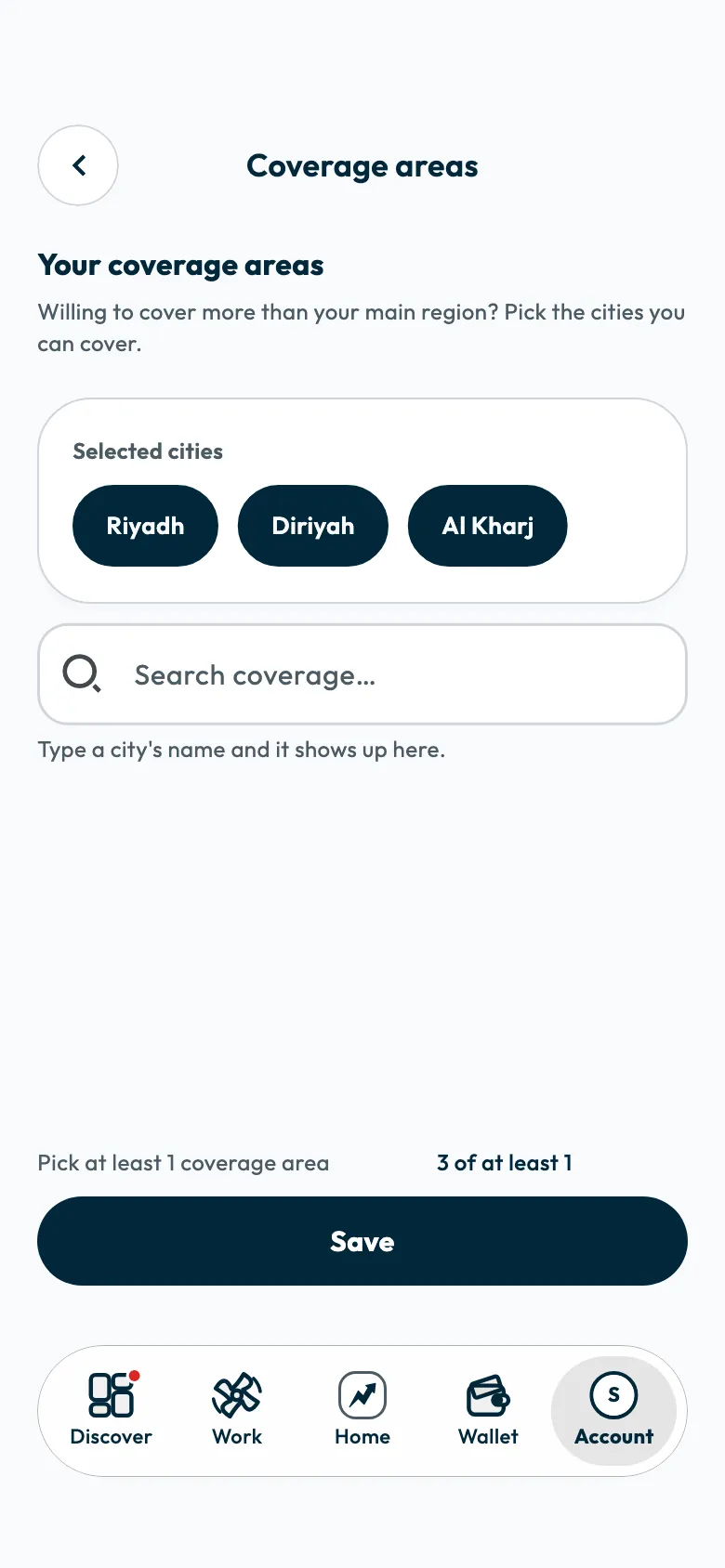
Choose cities you can really film in, because some campaigns need a branch visit in a specific city.
Common questions
How do I know what my profile is missing?
The app lists what your profile is missing under "A few things only you can add". Complete the details listed there.
Can I change my content categories myself?
No. Your categories are taken from your "Creator DNA". If you see a mistake, tap "Not quite me" on the Creator DNA screen.
Did this article answer your question?
Thank you. We use your answer to improve the article.
Your answer could not be saved. Try again.
Need more help?
Contact our support team, and we will help you with your question.