You create a company account on Shortcut from the sign-up page with your company name, your name, a phone number, an email address and a password. No documents are needed to sign up.
With this account you order UGC videos from creators, choose them yourself, pay them from your advertising balance and follow your campaigns in one place. You add billing details later, before your first payment.
What happens when you create the account?
- You become the “Owner” of the company account. The owner has every permission and invites the rest of the team later. See How do I invite my team?
- The account is self-serve: you create the campaign, choose creators and see the price before paying, with no quotation to wait for.
- Nothing is charged when you sign up.
Create the account
- Open the Shortcut sign-in page and press “Create a company account”. If the welcome page appears, choose “I'm a brand or an agency”, then “Continue to the brand portal”.
- Enter your company name and your name.
- Enter your phone number. The Shortcut team uses it to contact you about your campaigns.
- Enter your email address and a password. The password needs at least 12 characters, with an upper-case letter, a lower-case letter, a number and a symbol, and a password that has appeared in a known data leak is not accepted.
Accept the Terms of Service and Privacy Policy, then press “Create account”.
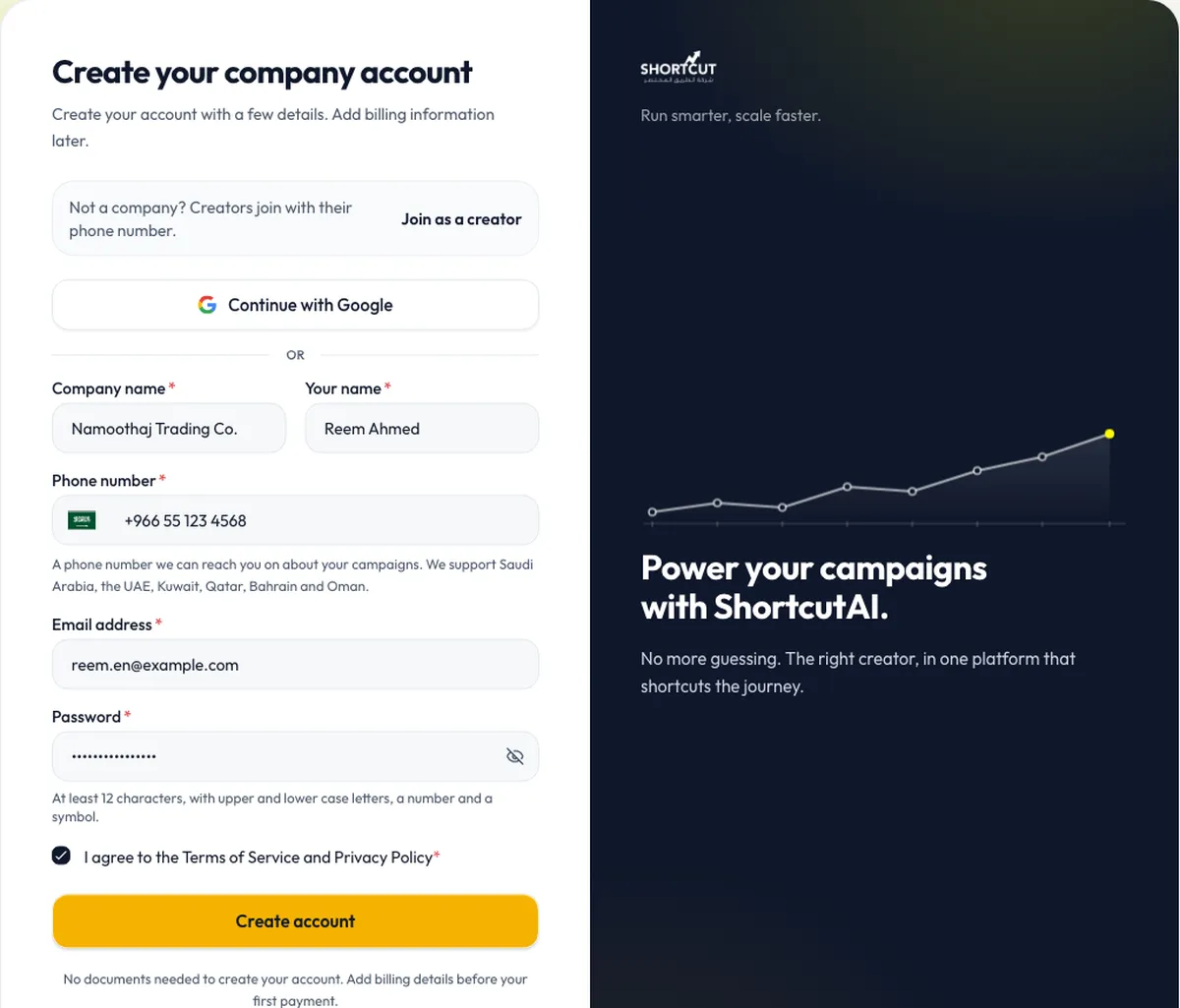
To sign up with Google, press “Continue with Google”, then enter your company name and phone number and accept the terms.
Confirm your email
Confirming your email protects your account and makes sure Shortcut's messages reach you at the right address.
- Open the confirmation email.
- Press the confirmation link. You are taken into your account automatically.
Until you confirm, the platform shows the “Verify your email” page with the address the link was sent to:
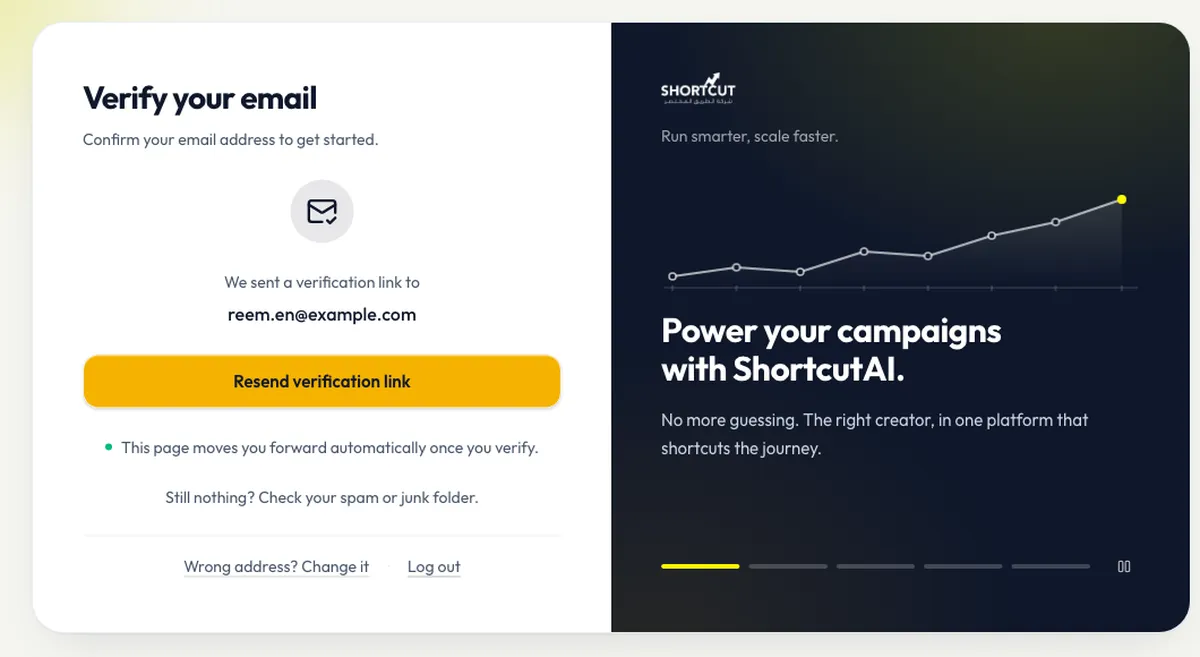
- If the email does not arrive, check your spam or junk folder, then press “Resend verification link”.
- If the address is wrong, press “Wrong address? Change it” and enter the correct one.
- If you are told the link no longer works, request a new one. A link stops working when it expires or when a newer link is sent.
What comes after sign-up?
Your dashboard shows a “Start your first campaign” checklist, and its first open step is “Add your first brand”. Enter your brand's name and website, and ShortcutAI, the platform's AI assistant, reads your site's public pages and fills in the brand details for you to review. Those details are what your brief is later built on.
- Add your brand and products.
- Add your billing details before your first payment.
- Create your first campaign.
Common questions
Do I need a commercial registration to sign up?
No. Signing up needs no documents. You need billing details, including your CR number, only before your first payment.
Do I pay anything when I sign up?
No. Nothing is charged until you book creators and pay yourself.
The confirmation email did not arrive. What do I do?
Check your spam folder, then press “Resend verification link”. If the address is wrong, change it on the same page.
Can my team work in the same account?
Yes. After sign-up the owner invites team members and sets each one's role.
Did this article answer your question?
Thank you. We use your answer to improve the article.
Your answer could not be saved. Try again.
Need more help?
Contact our support team, and we will help you with your question.