If a revision is requested on your video, a “Revision requested” notice appears on the video page with the “Notes from the brand”, and a WhatsApp message tells you. Edit the video as the notes say, then upload it again.
A revision request is a normal part of the work and does not end your place on the campaign. You only need to upload an edited version that matches the notes.
Does a revision affect my rating?
It affects one part of your “Overall rating”: “First-take approval”, which makes up 40% of it. A video that needed a revision does not count among the videos approved on the first take.
“On-time delivery” is measured from the date you uploaded the first version, so revised versions do not change it. See how your rating is calculated.
To get fewer revisions in future campaigns, read the script and campaign guidelines in full before filming, and check the video against them before you upload.
Upload the revised video
- Open “Work”, then “In progress”, and tap the video.
Read the “Notes from the brand” under the notice. If the notes are long, tap “Read more”.
- Edit the video as the notes ask.
- Tap “Tap to choose a video” and pick the revised version.
- Tap “Send for review”.
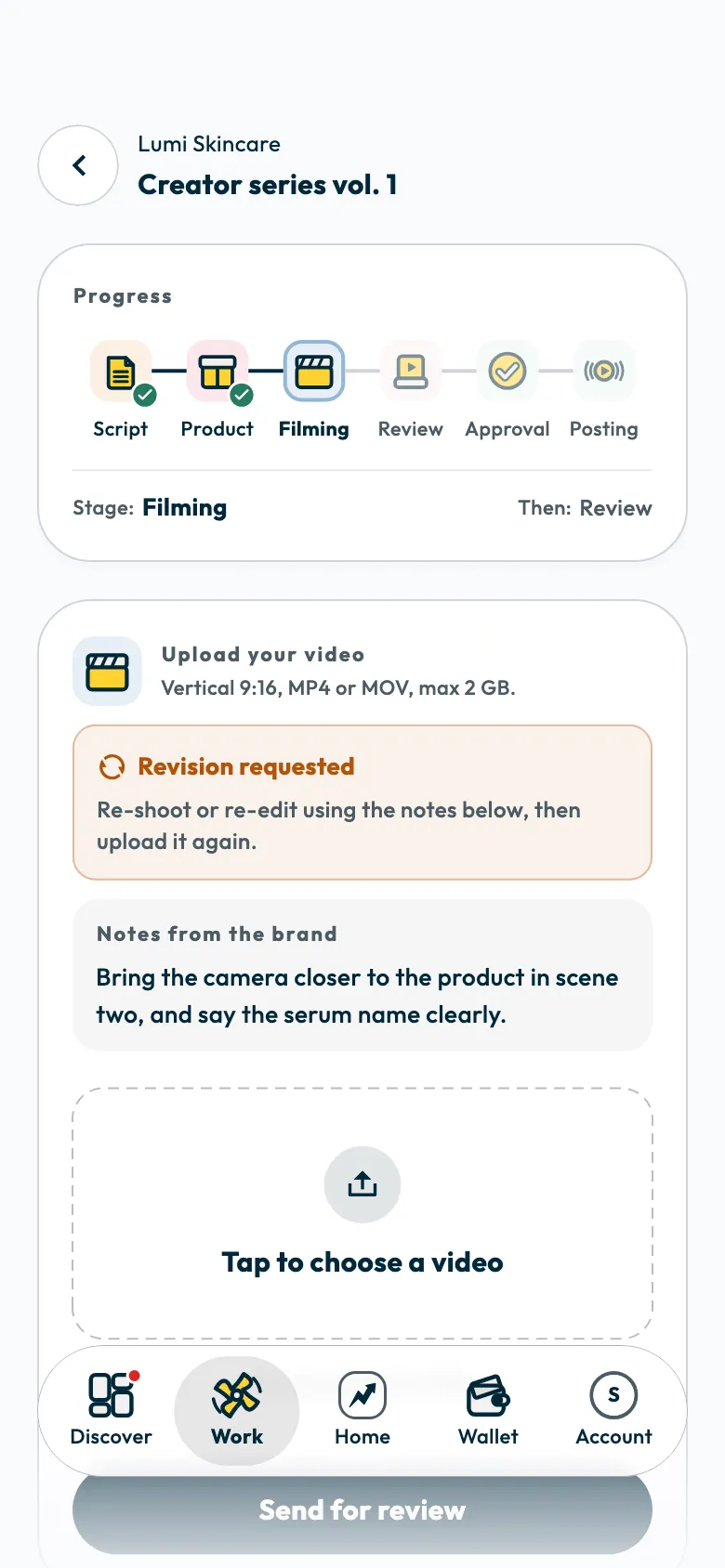
The revised version follows the same file rules: vertical 9:16, MP4 or MOV, up to 2 GB. See uploading your campaign video.
After the upload, the status changes to “Your video is being reviewed”, and a WhatsApp message tells you when the video is approved or needs another revision.
If the notes are unclear
Contact support before you film again, and give the campaign name. See How do I contact Shortcut support?.
Common questions
Do I have to film the whole video again?
Not always. Change only what the notes ask for, then upload the full edited version.
Do I post the video after uploading the revised version?
No. Wait for the video to be approved and for the posting date, then follow sending your video link and ad code.
Did this article answer your question?
Thank you. We use your answer to improve the article.
Your answer could not be saved. Try again.
Need more help?
Contact our support team, and we will help you with your question.