You upload your campaign video from its page in “Work”, and it is then reviewed before approval. Do not post the video on your account before it is approved.
The upload needs a vertical 9:16 file, in MP4 or MOV, no larger than 2 GB. If the campaign asks for the raw file, upload it from the same page too.
Why do timing and your first version matter?
The first version you upload decides two parts of your “Overall rating”:
- “On-time delivery”: a video counts as on time when its first version is uploaded before the end of its “Video due” day, Saudi time.
- “First-take approval”: a video counts when its first version is approved with no revision requested.
Each of the two makes up 40% of the rating. See how your rating is calculated.
So go through the script and campaign guidelines before filming, and check that the video matches them before you upload.
File requirements
- Vertical, 9:16.
- MP4 or MOV.
- No larger than 2 GB.
Upload the video
- Open “Work”, then “In progress”, and tap the video that asks you to upload.
Tap “Tap to choose a video” and pick it from your photos. If the video is saved in Files, tap “Or choose from Files”.
- Tap “Send for review”.
- Keep the page open until the upload finishes.
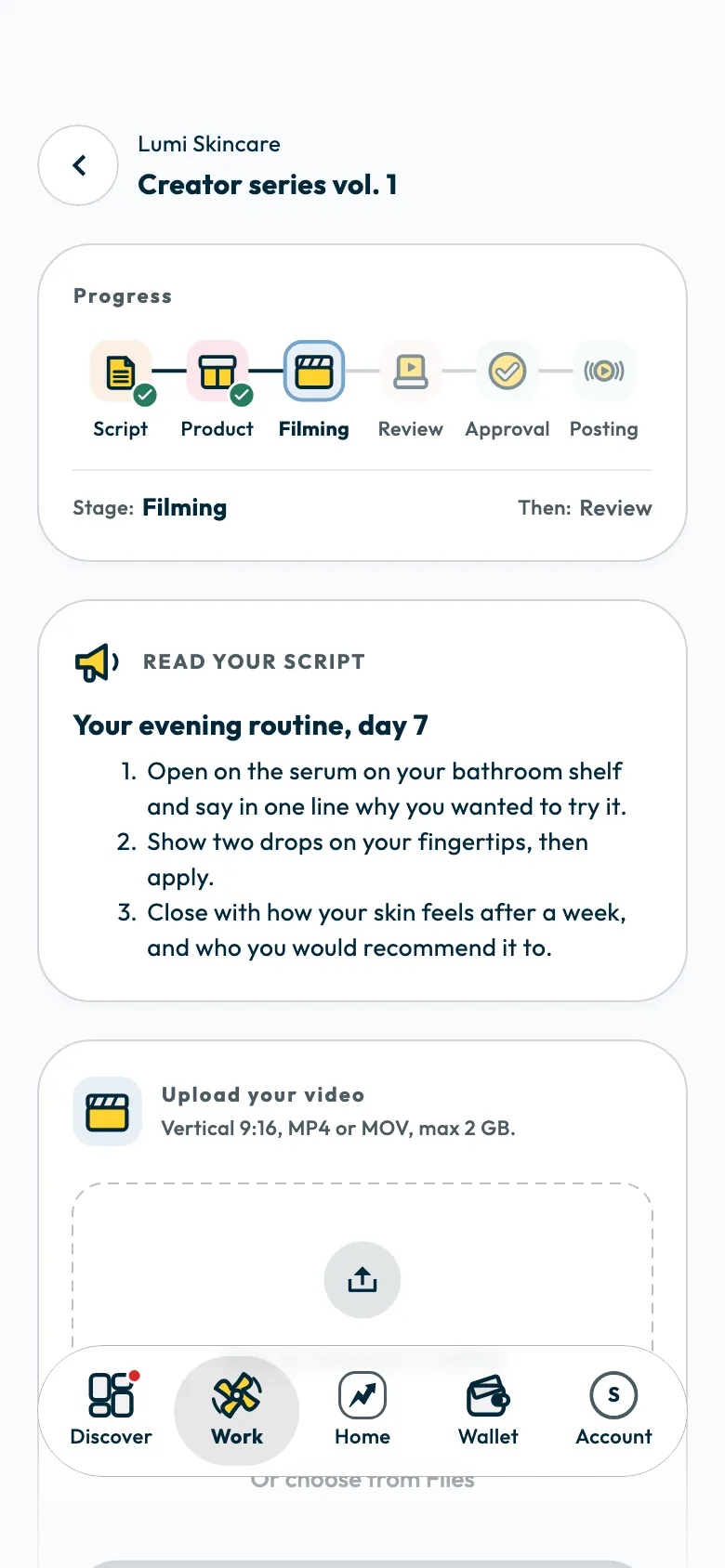
When the upload finishes, a success message appears and the status changes to “Your video is being reviewed”. A WhatsApp message tells you when the video is approved or needs a revision.
If you leave the page during an upload
The app asks whether to stop the upload. Tap “Continue upload” to stay, or stop it and go back. You can also pause the upload with its pause button.
If the upload stops
If the app says the upload has stopped or did not finish, check your internet connection and try again. If an error keeps coming back with a “Reference” number, send that number to the support team.
If the brand asks for the raw file
Some campaigns ask, besides your edited video, for the raw footage: the original camera file exactly as you filmed it. The video page shows this as “Also needed: the raw file”.
The raw file must have:
- No music or added sound.
- No text, captions or stickers.
- No filters or colour grading.
- No cutting or reassembling.
- The original filming quality, with no app watermark or logo.
- On the raw file card, tick the box confirming the file is the original from your camera.
- Tap “Tap to choose the raw file” and pick it.
- Tap “Send the raw file”.
You can send it before or after the video is approved, but the campaign is only complete with both files. If the video is posted on your account, posting opens only once the raw file is accepted.
How is the raw file checked?
ShortcutAI, the platform's AI assistant, checks the raw file automatically once you send it, to confirm it is the original recording with no edits. While it checks, the app shows “Raw file received”. Then one of these results appears:
- “Raw file accepted”: nothing more is needed from you for the raw file.
- “This file looks edited”: the automatic check found an edit to the recording and lists it under “What we found”, such as added music, text or stickers, a filter, cuts, transitions between shots, or an editing app's watermark. Send the recording as it came off the camera, before any edit.
- “With our team”: the automatic check could not decide, so a member of the team is looking at the file. There is nothing for you to do.
Common questions
When do I post the video on my account?
After it is approved, on the posting date shown on the video page. See sending your video link and ad code.
What do I do if a revision is requested?
Read the notes, edit the video, then upload it again, as described in when a revision is requested.
What is the difference between the video and the raw file?
The video is the finished, edited version that is reviewed and approved. The raw file is the original camera recording before any edit, and it does not count towards your rating.
Did this article answer your question?
Thank you. We use your answer to improve the article.
Your answer could not be saved. Try again.
Need more help?
Contact our support team, and we will help you with your question.