You withdraw from “Wallet”, with one payout request per campaign fee. The transfer reaches your bank account within 7 to 30 days of the request date.
A fee is not paid out automatically. It stays in your wallet until you request it, so the payout request is the last step in earning from TikTok campaigns on Shortcut.
What do you need before you withdraw?
- An approved Shortcut account. Until then, “Wallet” says “Payouts open once your account is approved.”
- A campaign fee added to your wallet. See When is my campaign fee added to my Shortcut wallet?.
- Complete bank details: bank, account holder name and IBAN. The IBAN alone is enough to accept invitations, but a payout needs all three. See How do I add or change my bank account on Shortcut?.
- An answer to the VAT question, and a tax invoice with each payout request if you are VAT-registered. See When do I need to attach a tax invoice to a payout?.
Request a payout
- Open “Wallet”.
Tap “Request payout”.
Choose the campaign fee you want to withdraw.
- If you are VAT-registered, attach the tax invoice on “Upload your tax invoice”.
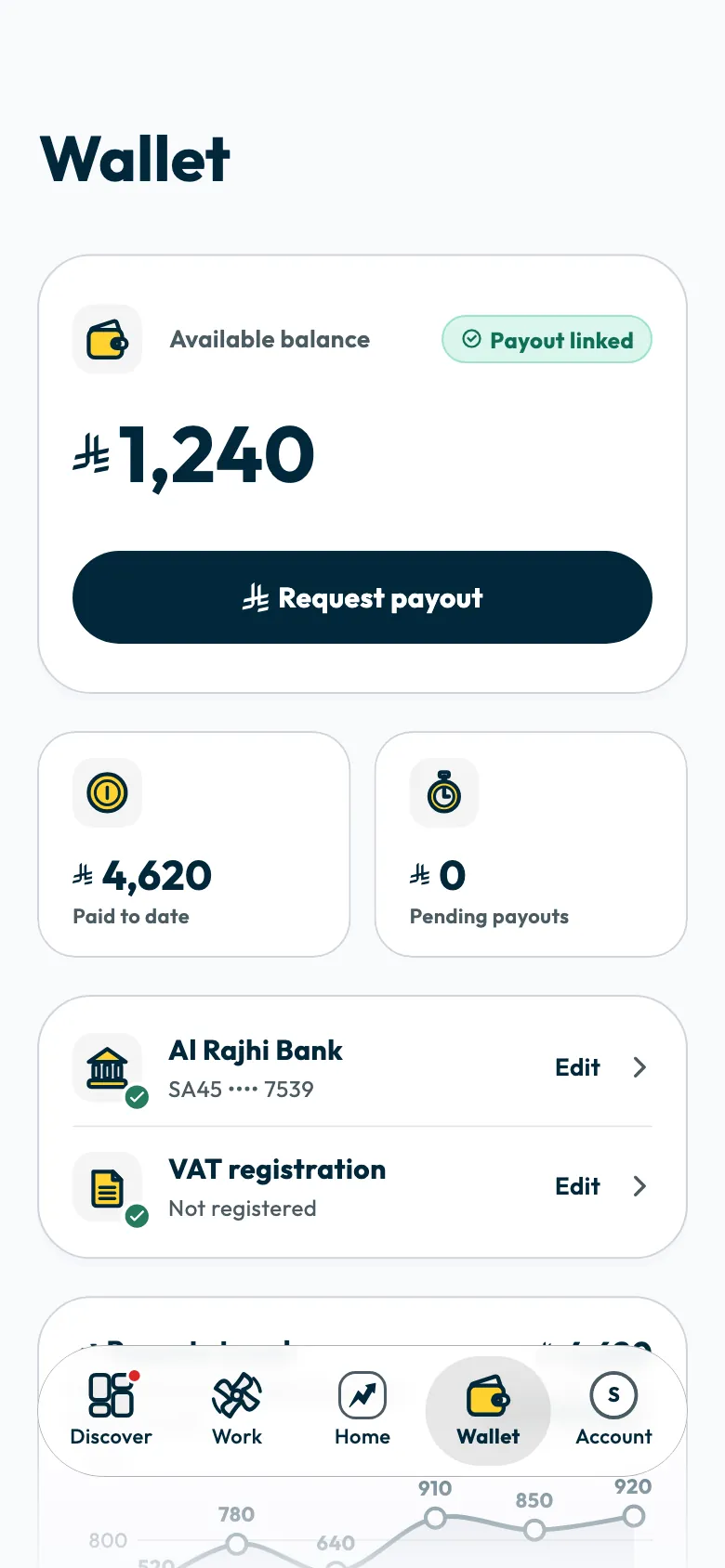
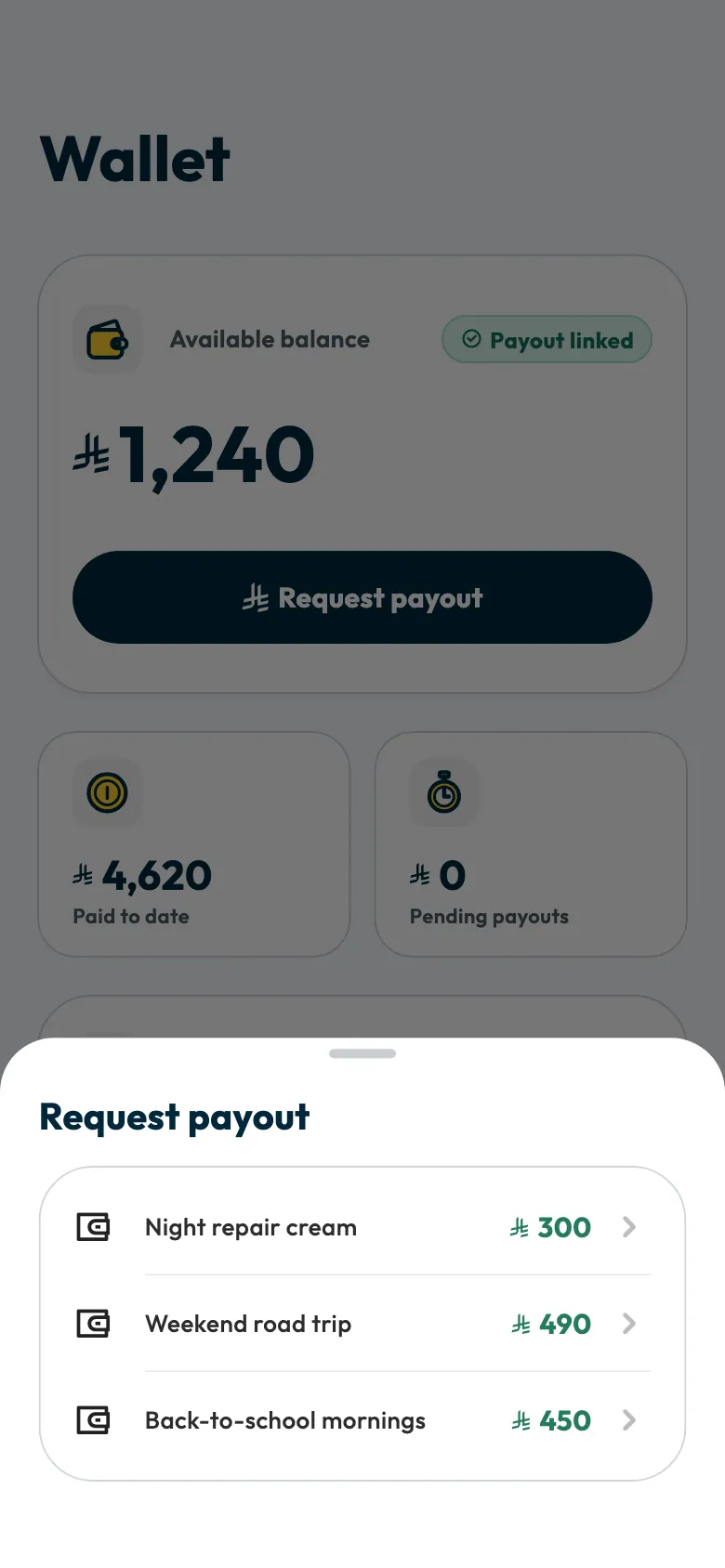
“Payout requested successfully” appears and the amount moves to “On the way”.
If your bank details are incomplete, “Request payout” is greyed out. Tap “Link” or “Complete” on the payout method in “Wallet” to open the bank form. If you have not answered the VAT question, the app asks it. Complete what is asked, and the request is sent.
Track your payout
Each request shows in “Wallet” under “On the way”, with its request date and “Expected within 7 to 30 days”. To see all your fees, tap “View all” next to “On the way” or “Paid out”. This opens “Recent transactions”, with the tabs “All”, “Paid out” and “On the way”.
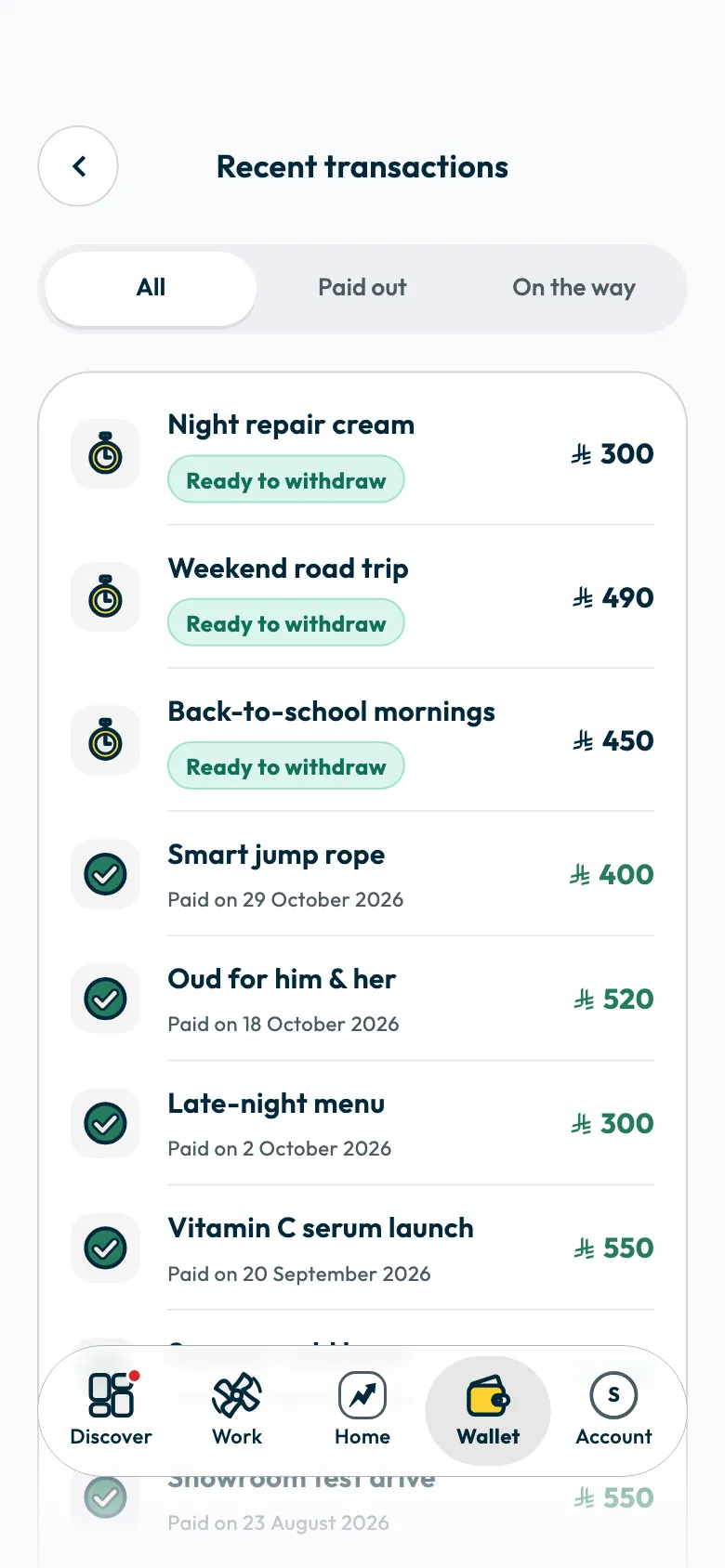
What each status means:
- “Ready to withdraw”: the fee is in your wallet and you have not requested it yet.
- “Awaiting transfer”: your request was received; the transfer has not started.
- “Transfer in progress”: the transfer to your bank has started.
- “Paid on” followed by a date: the money was transferred to your bank account on that date.
- “Rejected”: the request was refused, with the reason under it.
You also get a notification when the transfer starts, when it is sent, and if the request is rejected.
If a payout is rejected
The amount goes back to your available balance. Under the fee you see “Reason:” followed by the reason, then “You can request the withdrawal again.”
Read the reason, fix what is needed, and request the payout again from “Request payout”.
If only your tax invoice was rejected, the request itself is not rejected. Follow the steps in When do I need to attach a tax invoice to a payout?.
Common questions
Can I withdraw several fees in one request?
No. Each payout request covers one campaign fee. Repeat the steps for each fee you want to withdraw.
I changed my bank account after requesting. Where does the money go?
A request you already sent is paid to the bank account saved when you requested it. New requests go to the new account.
Why can't I withdraw a fee that shows in my wallet?
Check that your account is approved, that your bank details are complete, and that you have answered the VAT question. A fee that already has a payout request under way cannot be requested again.
If the transfer has not arrived
Did this article answer your question?
Thank you. We use your answer to improve the article.
Your answer could not be saved. Try again.
Need more help?
Contact our support team, and we will help you with your question.